
How it works
Meeting transcripts and search that run on your own hardware. What Sentito does, what it’s built with, and how far along it is.
In short
Transcribe every meeting and search all of them, without sending a second of audio to someone else’s computer.
Teams whose conversations aren’t allowed to leave the building, and anyone who would just prefer they didn’t.
1.3.0 for Mac and WindowsiPhone and iPad app not on the App Store yet
- Your own server
- Transcription, summaries and search run on a computer you own
- No cloud APIs
- No audio or text goes to a speech or language service
- No relay
- Your phone reaches your server directly, at home or away
How it works
Install it once. Then just record.
Install the server
The Sentito Server app installs the server as a service on a Mac with Apple silicon or a 64-bit Windows PC, with its own database and language model, and downloads the speech models. The server keeps running when the app is closed.
Pair your phone
The app shows a QR code. Scan it with Sentito on your iPhone or iPad and it’s paired. The code works once, for ten minutes.
Record a meeting
Record on the phone and watch the words come in as people talk, or record a call on the computer itself, both sides of it. Your server transcribes the recording, labels who spoke when, and writes a summary.
Search and ask
Search every meeting by meaning, or ask a question in plain English, from the phone or from the web app in any browser on your network.
Sentito for iPhone and iPad · free
Your phone records. Your server does the rest.
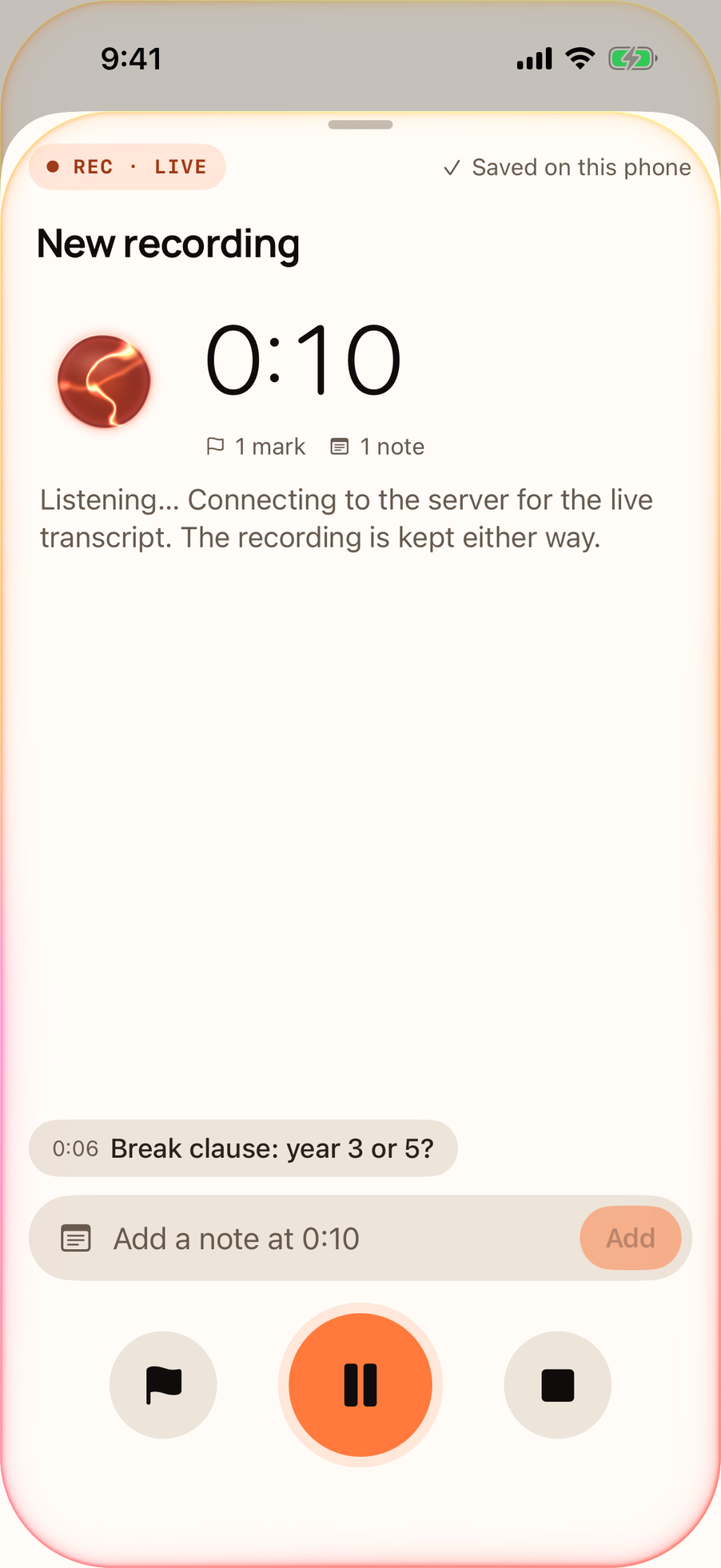
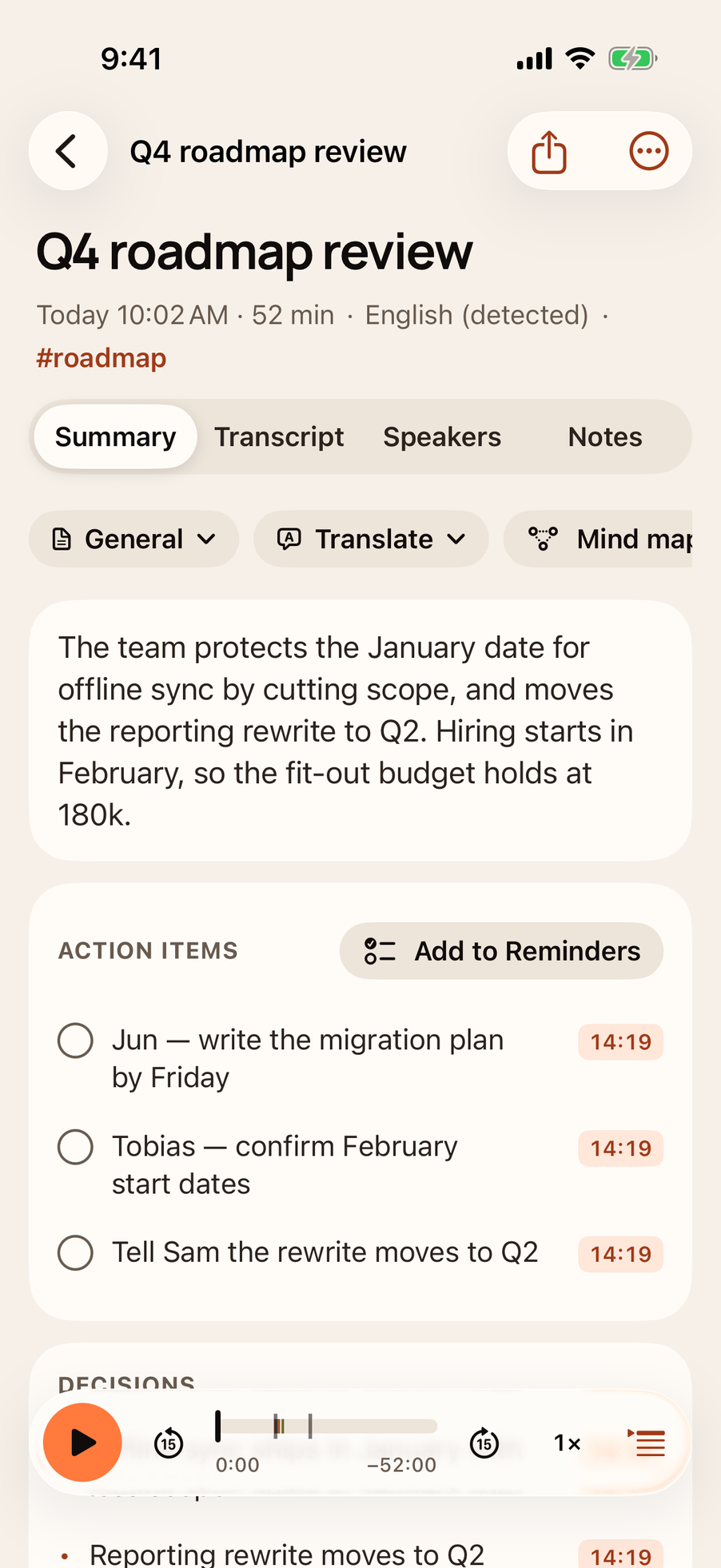
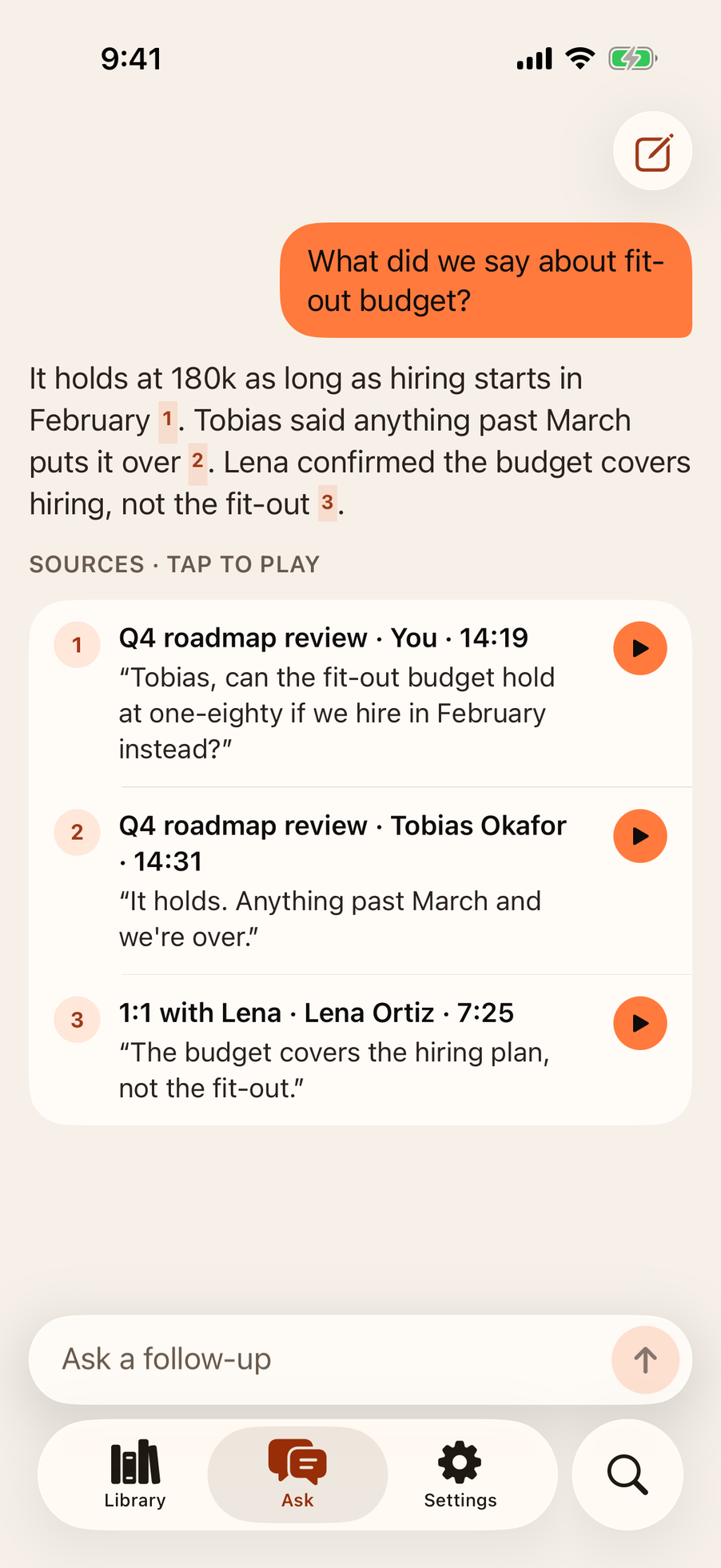
Record a meeting on your iPhone or iPad. The audio streams to your server as you talk, over your Wi-Fi at home and through your own router everywhere else, and the words show up a second or two after they’re said. Type notes as you go. When it’s processed, read it, search it and ask about it, send its action items to Reminders, or share it with a link.
- iOS 18 or later, iPhone and iPad
- Free, with no key
- Not on the App Store yet
The web app
Read, search and ask, from any browser.
Your server serves the web app itself, so there’s nothing to install. It’s free, and it’s where you upload recordings made somewhere else.
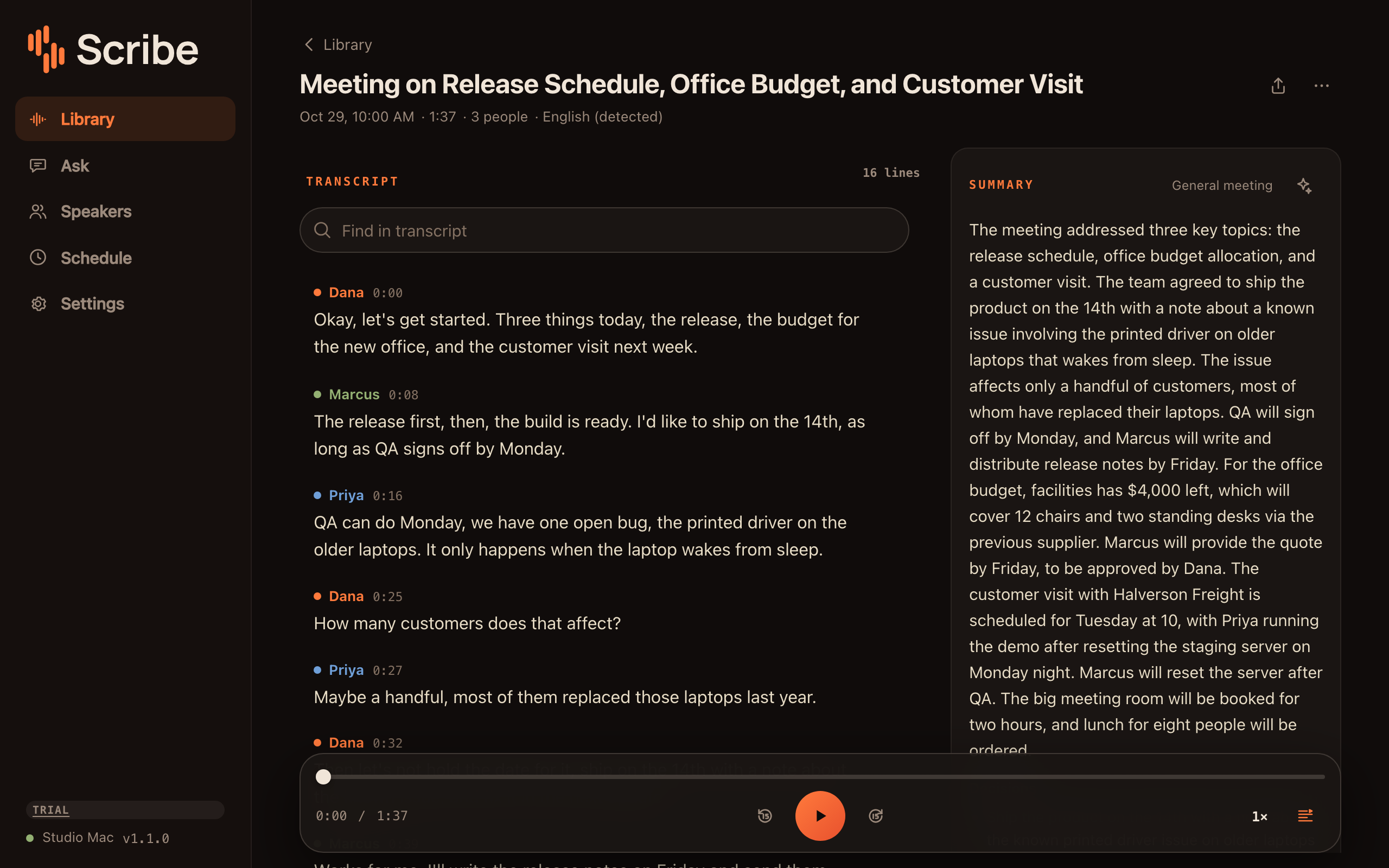
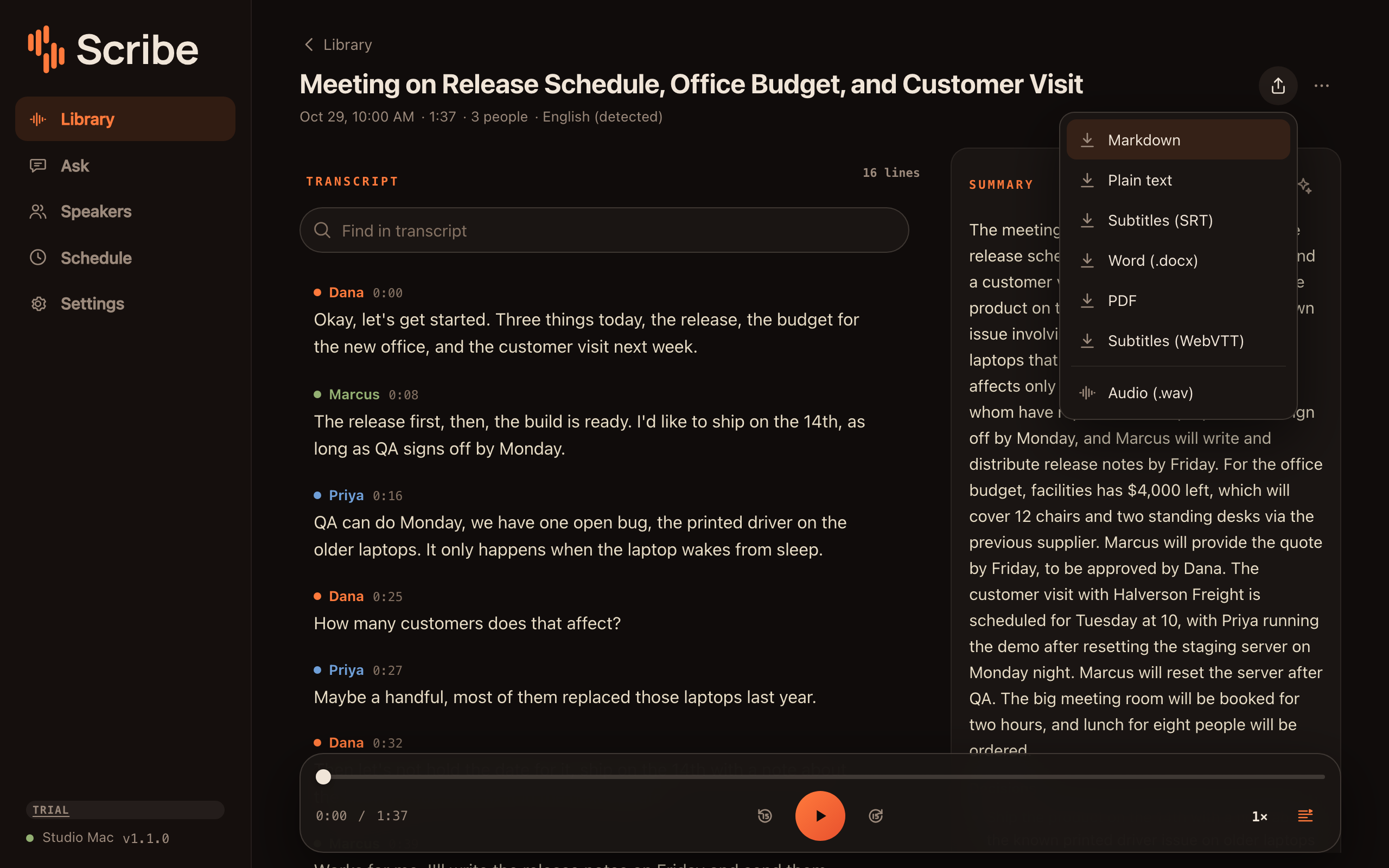
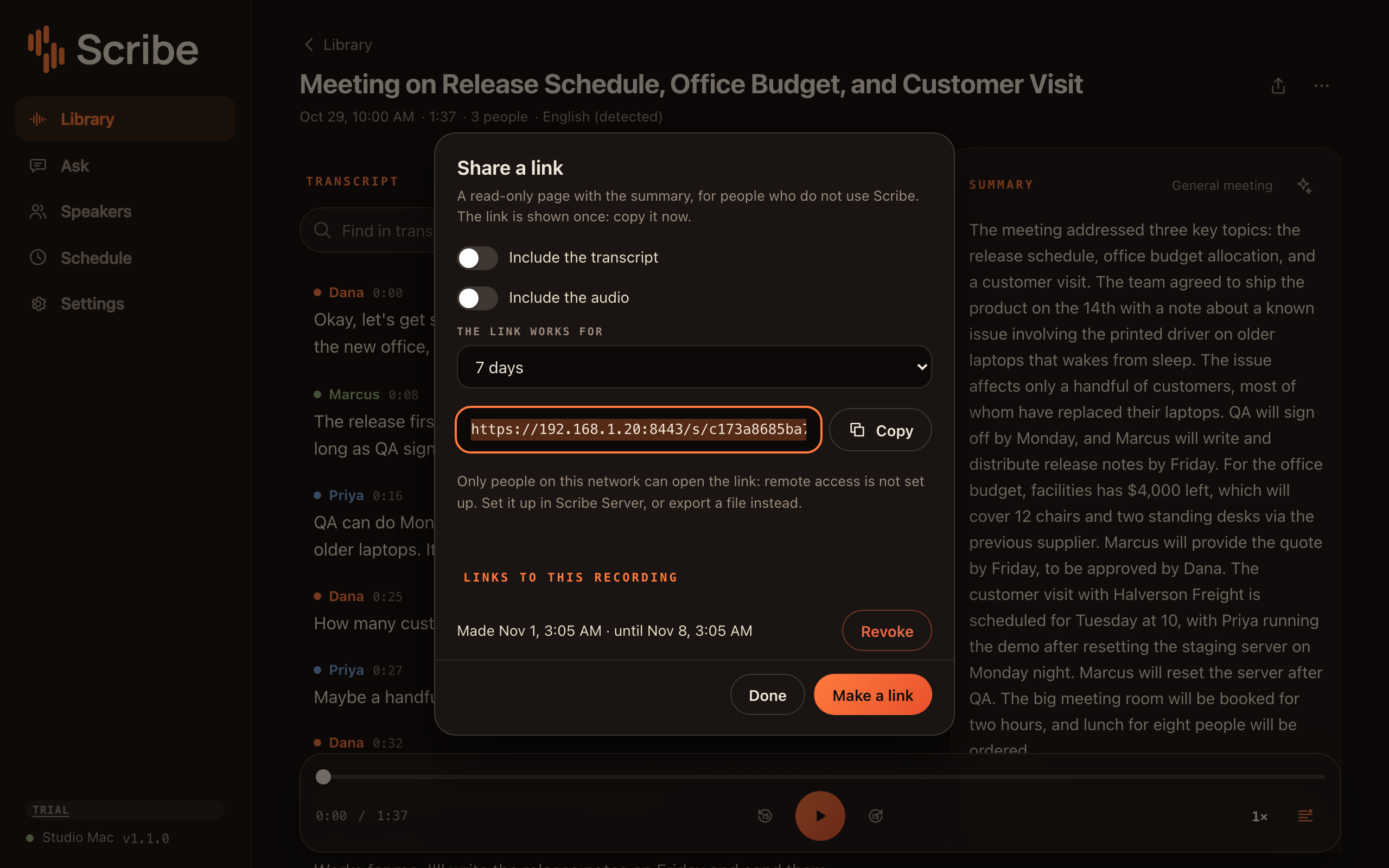
A transcript with named speakers, the summary beside it, and the recording to play back.
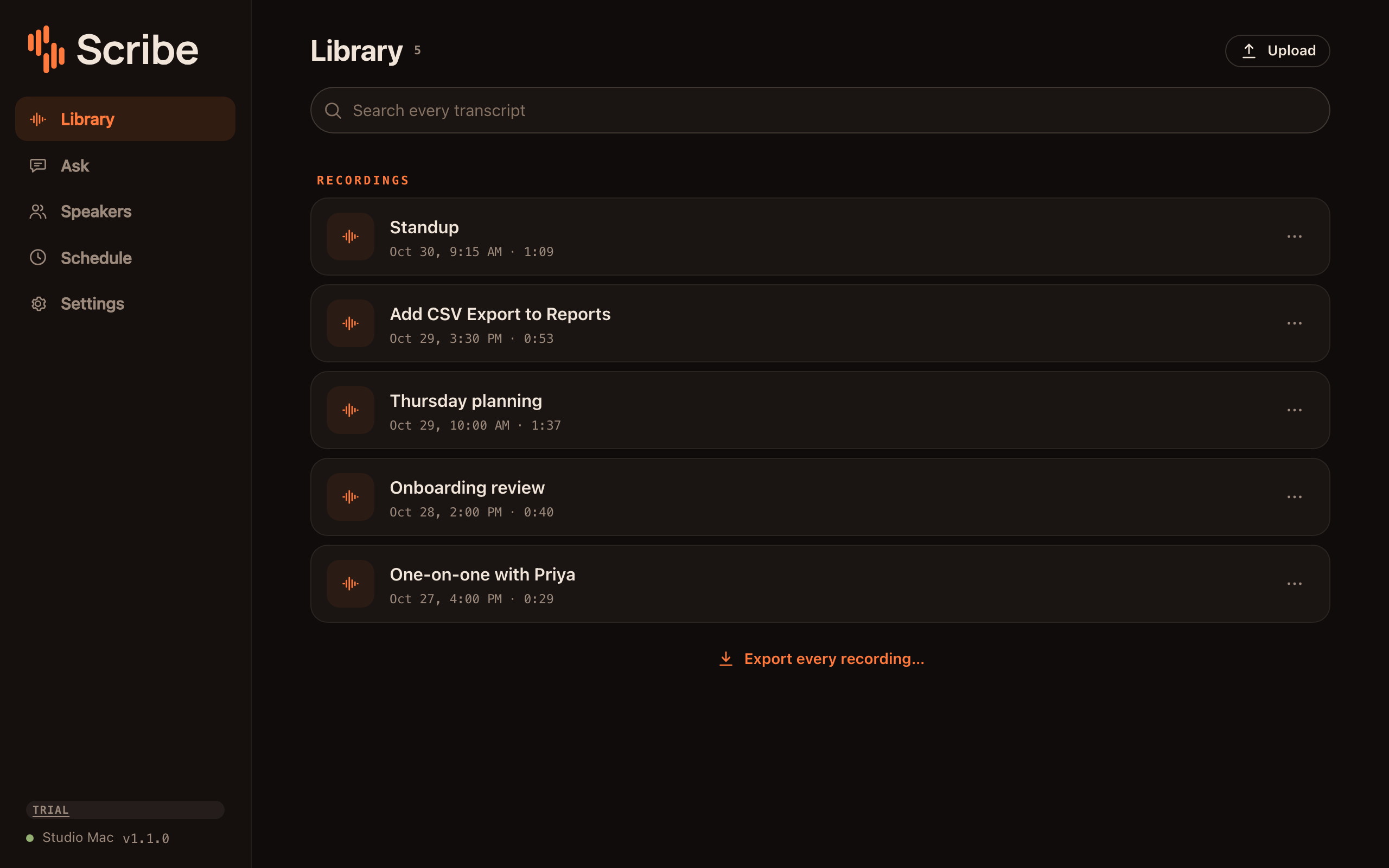
Every meeting, newest first, with one search box across all of them and an export of the lot.
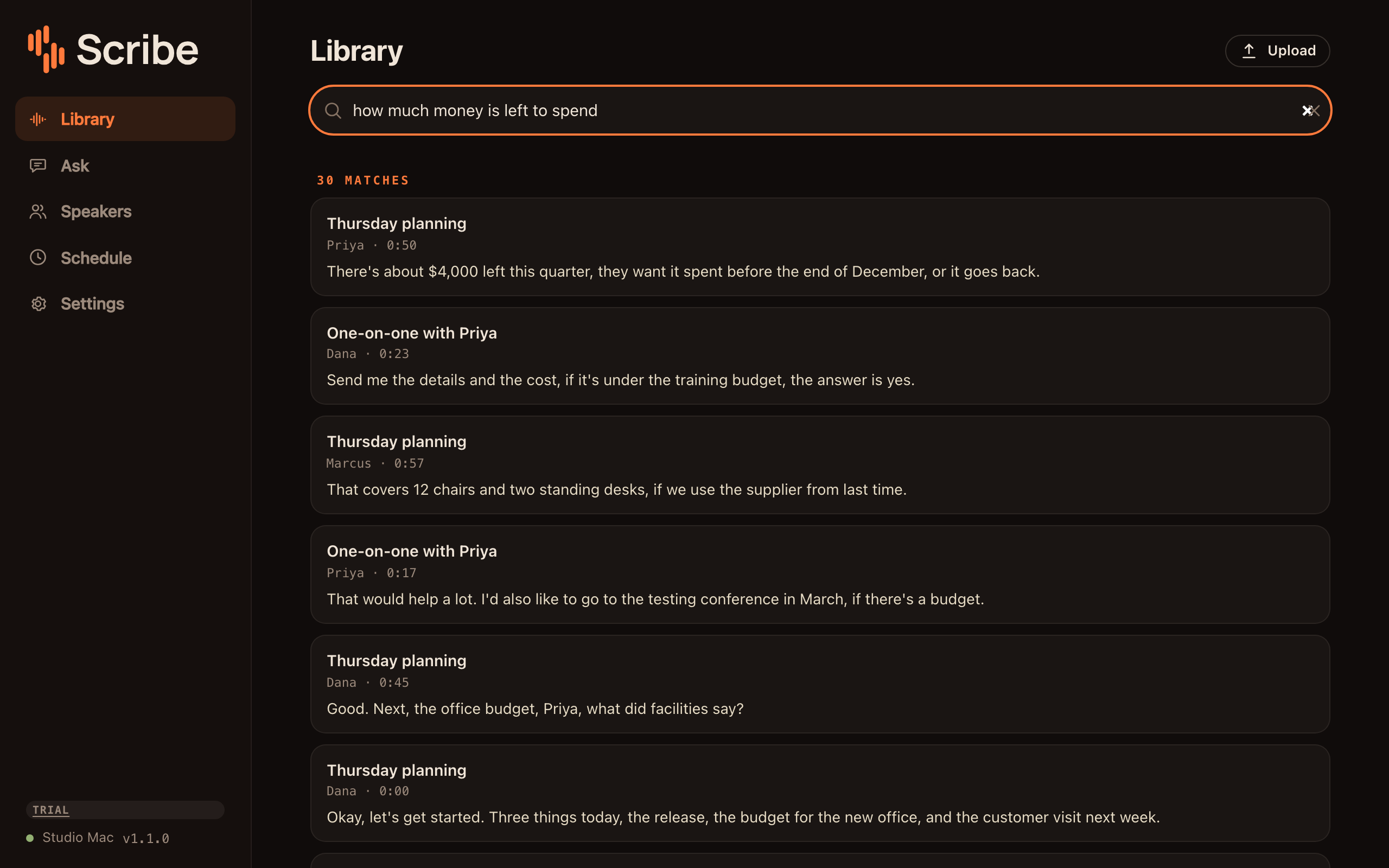
Results ranked by the words you typed and by what they mean.
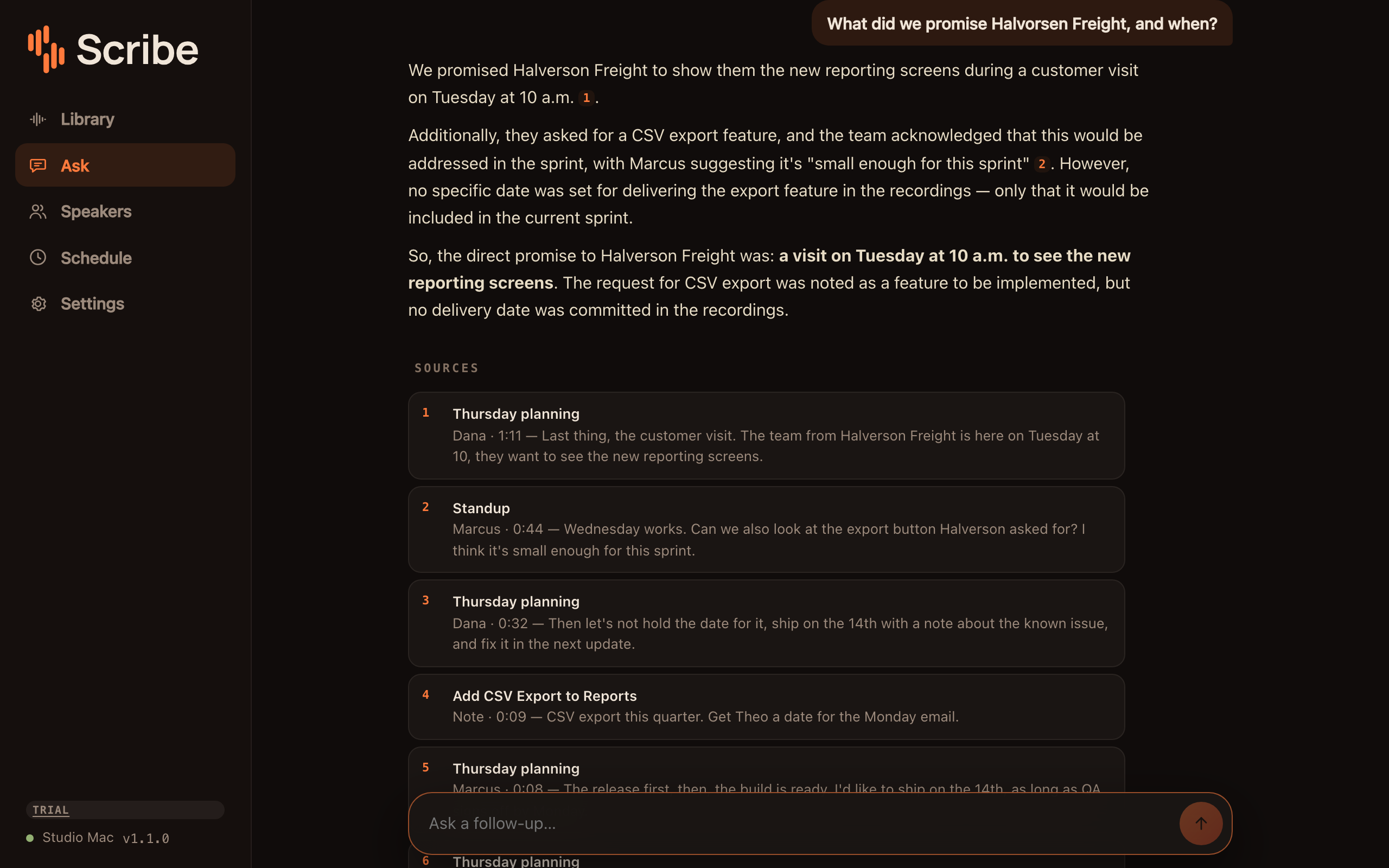
A question in plain English, answered from your meetings and your notes, with the lines it came from.
One meeting as Markdown, plain text, subtitles, Word or PDF, or its audio.
A read-only link to one meeting. Pick how long it works, and revoke it any time.
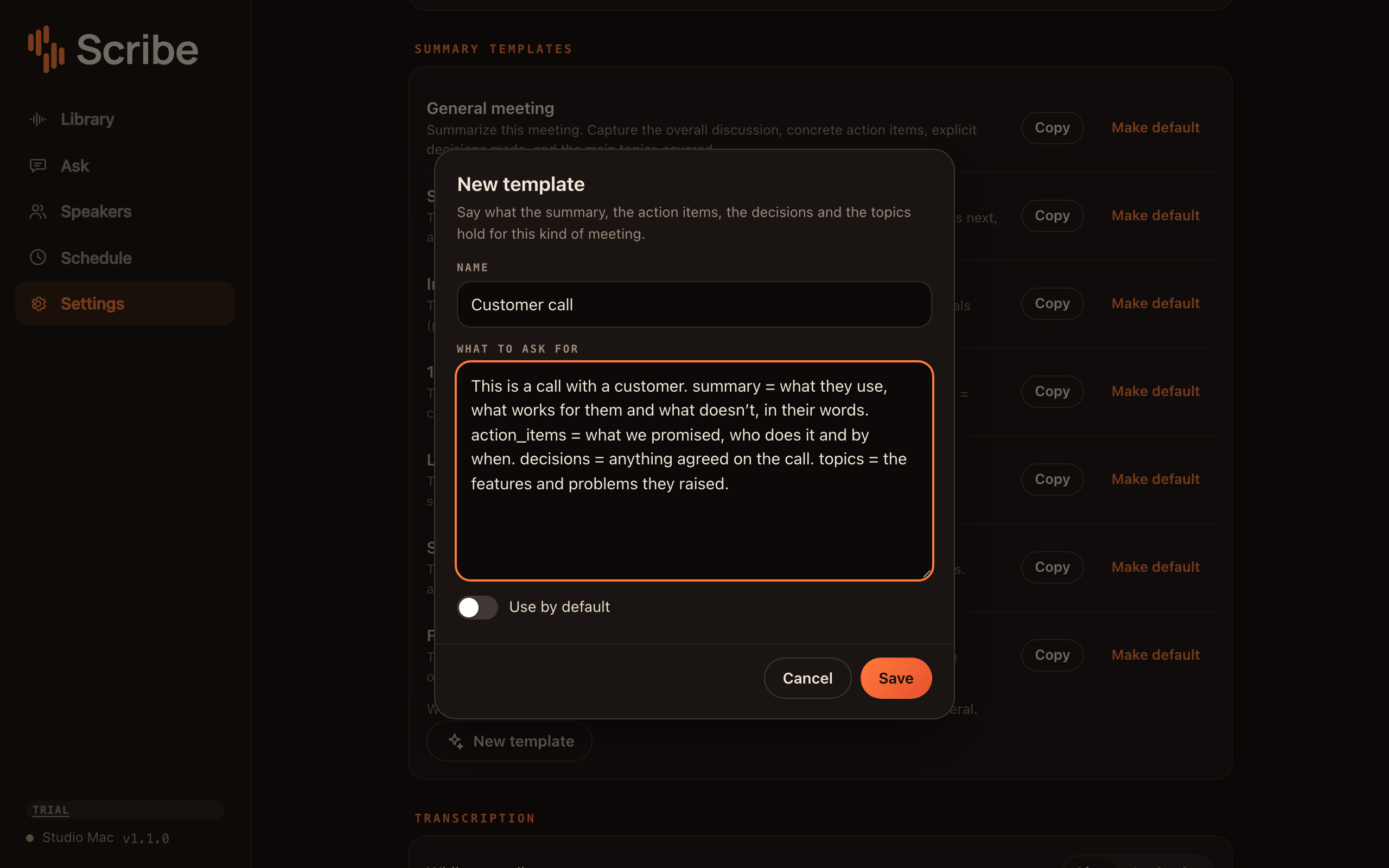
Write your own summary template, or pick one as the default.
Sentito Server
The app you buy sets it all up.
It installs the server as a service, downloads the models, pairs your phone and holds the license. It also records meetings on the computer, your microphone and the other side of the call. The server keeps running when the app is closed.
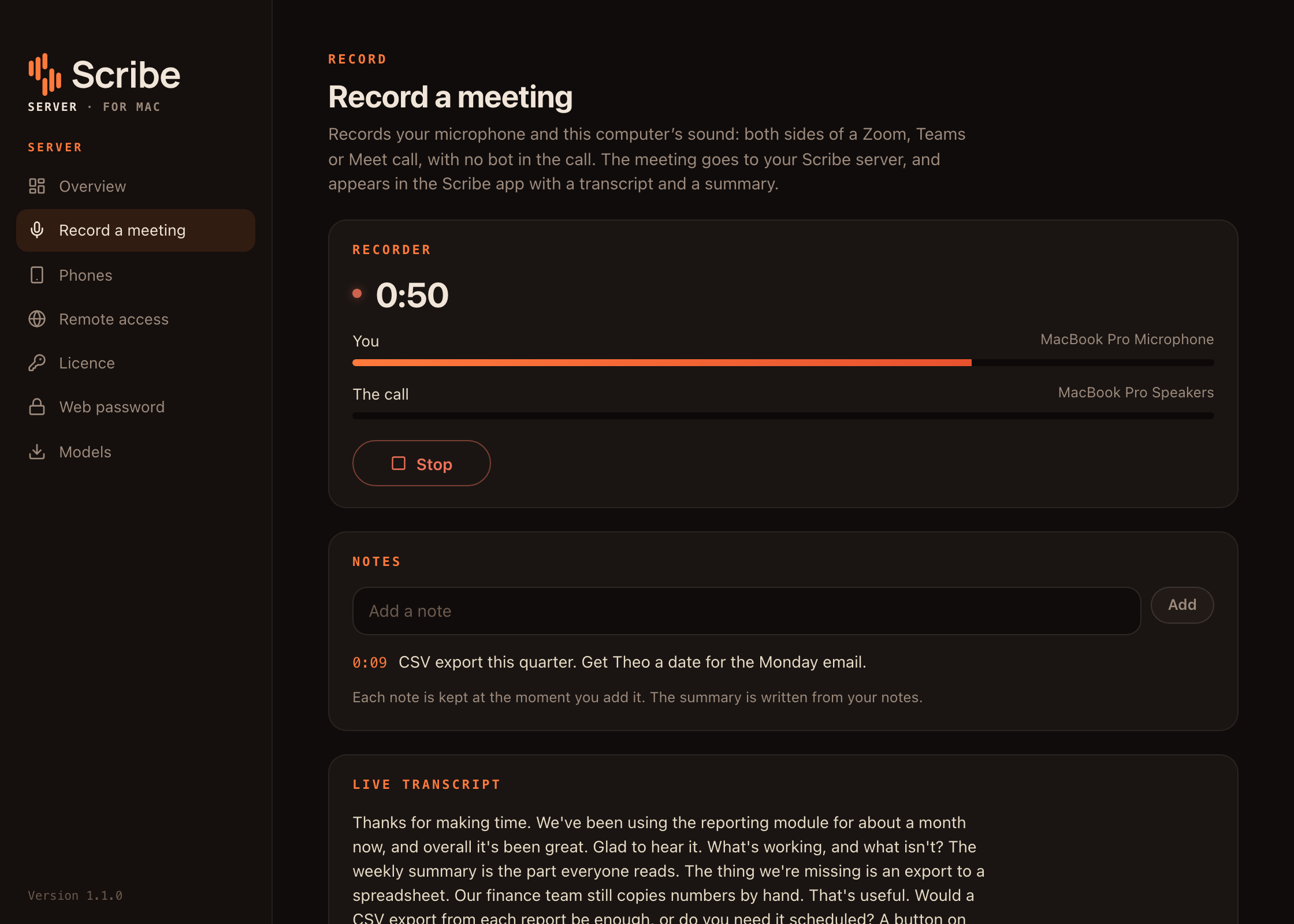
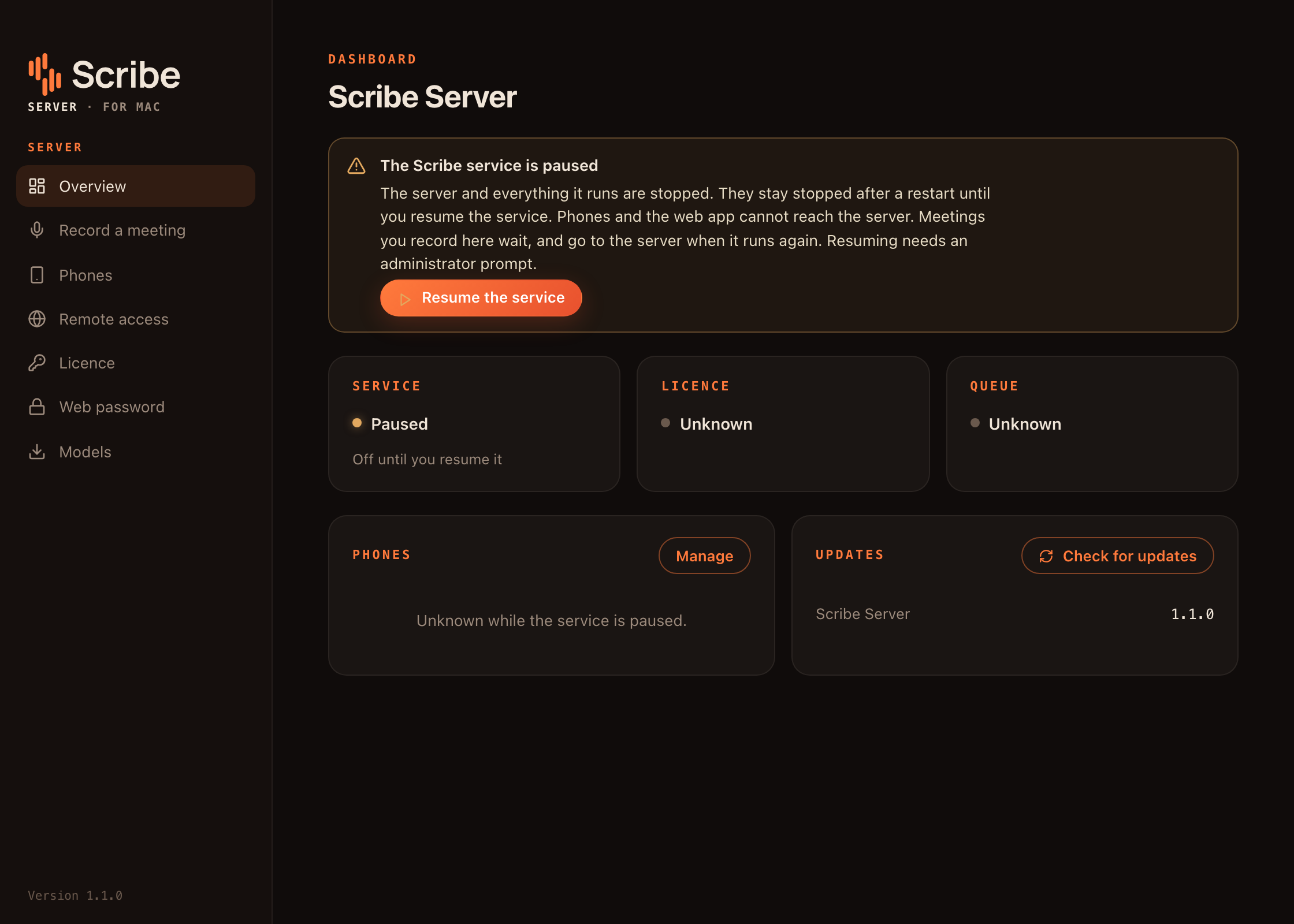
Both sides of a call, from the microphone and the computer’s sound, with a note and the live transcript.
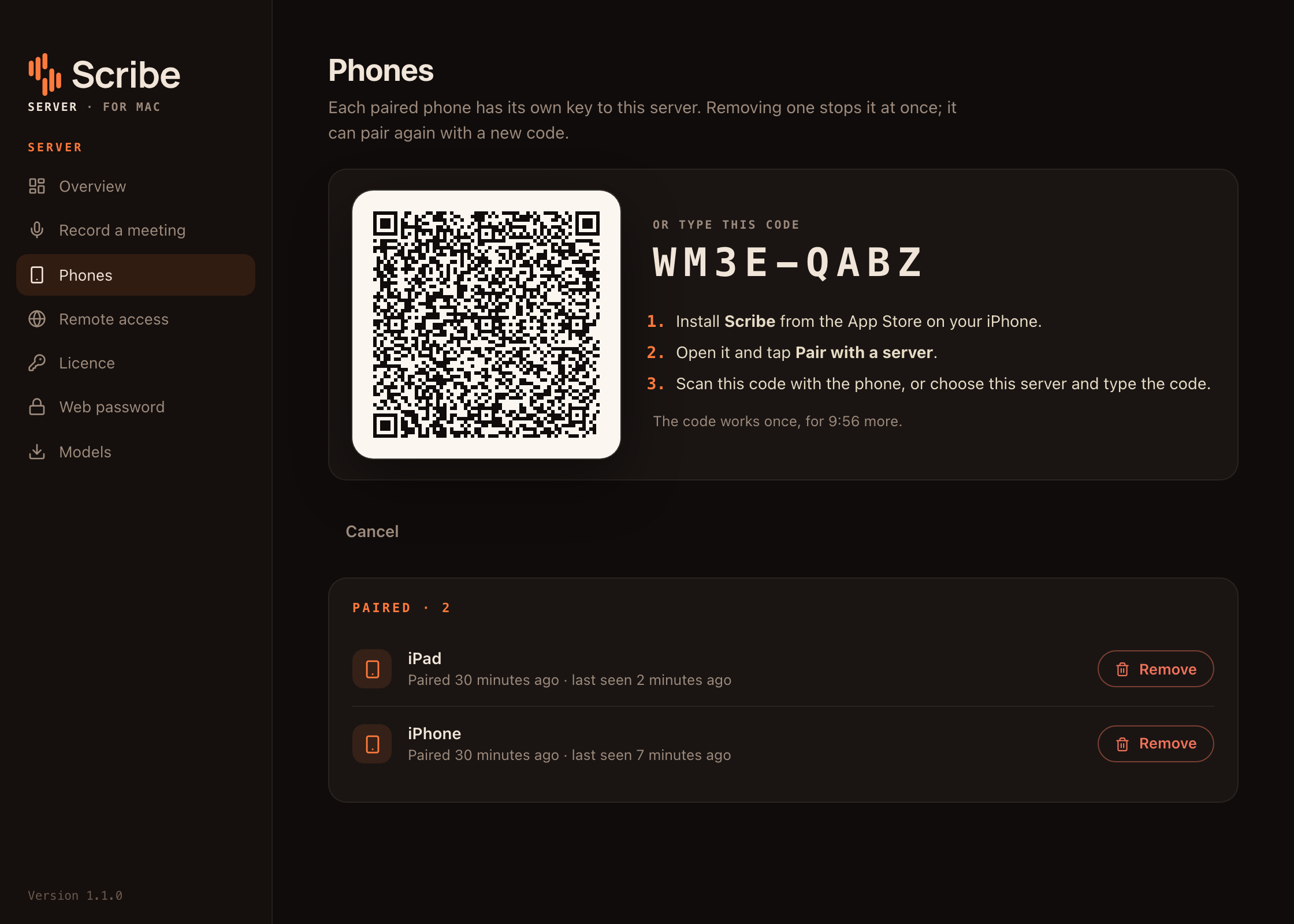
A pairing code as a QR code and as text, and the phones already paired.
Pause the service and everything it runs. It stays off until you resume it.
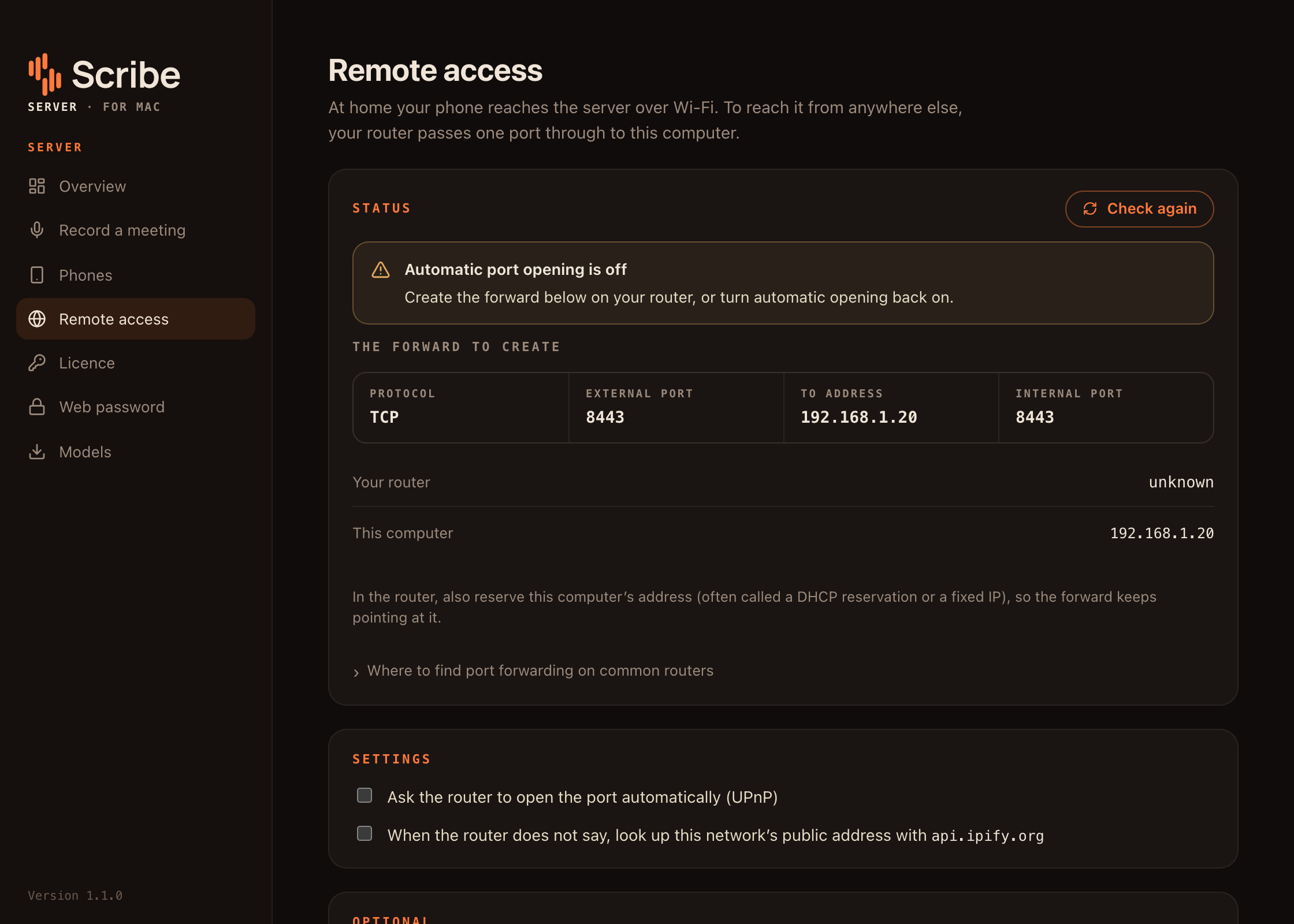
The port forward to set up on your router, when it doesn’t open one itself.
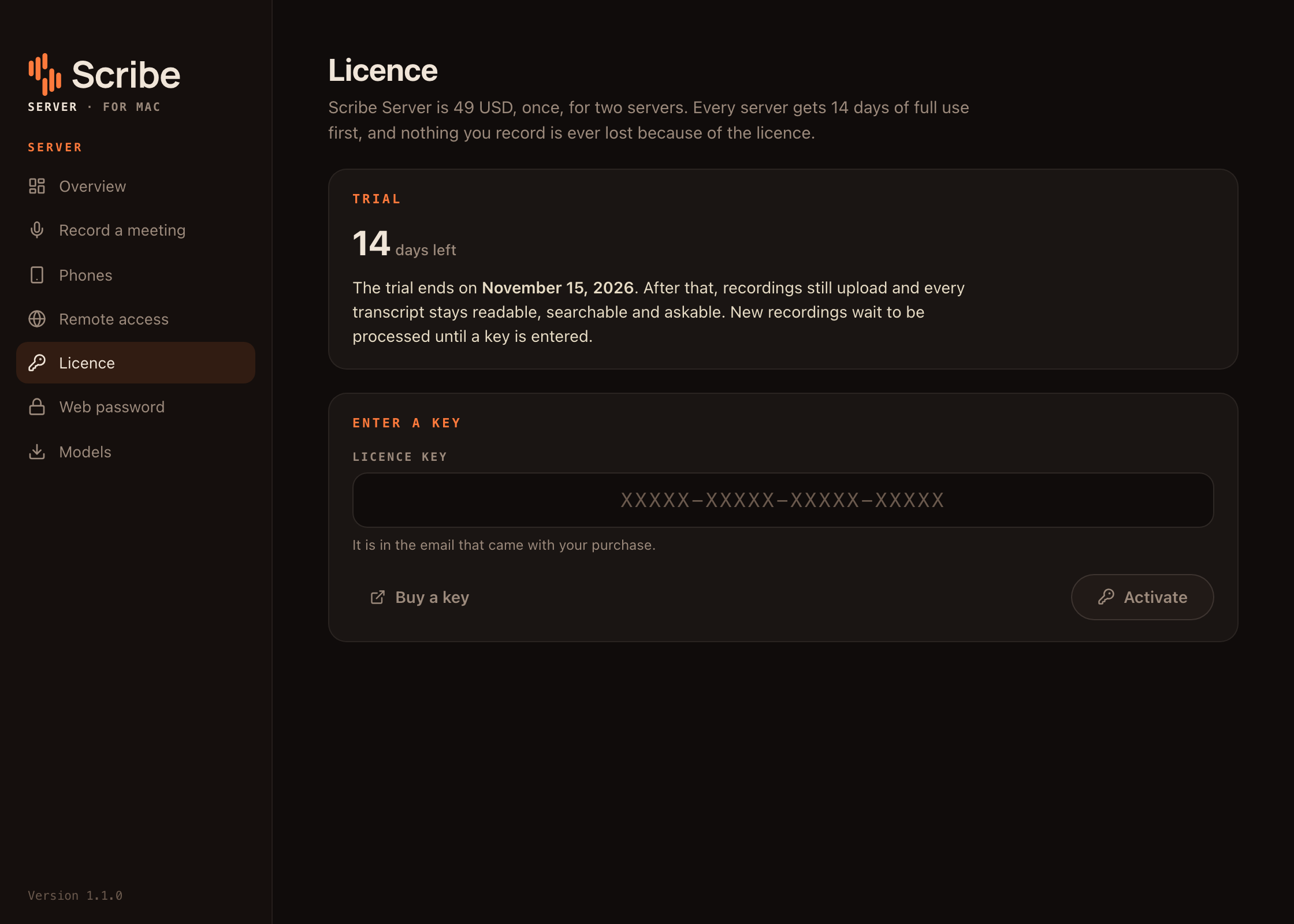
The trial, the day it ends, and where the key goes.
After you stop recording
Six jobs, queued in Postgres.
While you record on a phone or iPad, the server transcribes the audio as it arrives, so the words show up as they’re said. Recordings made on the computer are transcribed in half-minute pieces. When you stop, the whole meeting runs through again so the speakers can be told apart. Each step is a job in Postgres that the worker claims with SKIP LOCKED, and you can hold processing for hours you pick, like overnight.
transcodeffmpeg turns the audio, from the phone or from a file you upload, into a WAV the models can read.
transcribediarizeSpeech to text, and who spoke when. Both start from the same audio, and neither waits for the other’s result.
mergeWords get their speakers. This is the transcript you read.
embedsummarizeSpeaker turns become search vectors, and a language model running on the server writes the summary.
The web app and Sentito Server pictures are Sentito 1.1.0 (the v1.1.0 tag, commit ce82c63) running on a Mac. The meetings are made up and read aloud by macOS voices. The transcripts, speaker labels, summaries, search results and answers in them are what the server made of them, recognition slips included. The web app is shown in a browser at 1280 × 800. The Sentito Server screens are its real interface drawn in a browser at the window’s 1120 × 800, talking to the same server, and the computer’s own network addresses are swapped for example ones. The iPhone and iPad pictures are the app’s new design, from the Sentito repository after Server 1.2.0, in the iOS simulator. It talks to a test server that serves written-out sample meetings, so their transcripts, summaries and answers were written for the test and not made by Sentito Server. The iPhone app isn’t on the App Store yet. Every screen
The premise
Record a meeting on your iPhone or iPad, or on the computer itself, and get back a transcript with speaker labels, a summary, and search across every meeting you’ve recorded, in plain English. All of it runs on a computer you own. There are no cloud APIs, no account and no relay, and nothing you record goes anywhere but your own server, unless you share it with a link or have its summary emailed or posted somewhere you choose.
Sentito Server, the desktop app, installs the server as a service with its own database and language model, and downloads the speech models for you. It also records meetings on that computer, your microphone and the other side of the call, with no bot joining. The iPhone and iPad app and the web app the server shows on your network are free. To reach it away from home, the server asks your router to forward a port, or you point your own domain at it. Version 1.3.0 is published for Macs with Apple silicon, and for 64-bit Windows as an unsigned preview, with a 14-day trial on each server. It will be $49, paid once, for two servers.
What’s included
Transcripts with speaker labels and summaries from a local language model, with no cloud APIs
Search your whole meeting archive by meaning, not just keywords, and ask questions of it
A desktop app that installs the server as a service, records calls on that computer with no meeting bot, and manages its license, models, remote access and phone pairing
A free iPhone and iPad app that pairs with a QR code and shows the words as you speak, and a free web app on your network for reading, searching, asking and uploading
Share a meeting with a read-only link, export it to Word, PDF or subtitles, or have the summary emailed or posted to Slack when it’s ready
Reach it from anywhere through your own router or your own domain, with no relay and nothing passing through us
How it’s built
Sentito is built on Rust, sherpa-onnx, ONNX Runtime, llama.cpp, Postgres, pgvector, Swift, Tauri and React.
The repository is 59% Rust, 15% Swift, 8% JavaScript, 5% Shell, 4% TypeScript by volume.
It carries 216 commits since Jun 2026, most recently changed in Oct 2026.
How the work is done
Every project here starts as a written spec, and the spec stays the source of truth once there’s code. The repository keeps a build plan with current status, an append-only decision log of where the code departed from the plan, and a handoff document that describes where things stand, including the unfinished parts.
That’s how one person keeps this many projects moving, and it’s what this page is written from.
Current state
Shipping. Released and usable today.
The source is private, so the way to check what this page says is to use the product.
Try it
Try Sentito on your desktop
Download Sentito Server for a Mac with Apple silicon or a 64-bit Windows PC, and try it free for 14 days on each server. Keys aren’t on sale yet.
- Price
- $49
- Paid
- one time
- Covers
- one owner, two servers at a time
- Refund
- 30 days
Nothing is being charged today. There's no pre-order, no deposit, and no waiting list. If you want to know when it opens, send an email and you'll get one reply when it does.